Product
CommonLook PDF Desktop Version
Feature
Images and Figures
Document Element
Tagging flowcharts and/or organizational charts
Overview
Flowcharts and organizational charts present information through a series of connected steps or hierarchical relationships. Because these graphics often contain multiple pieces of text connected by arrows, lines, or branching paths, they cannot typically be remediated effectively as a single Figure with one piece of alternative text.
Instead, each component of the flow chart should be tagged individually to preserve the logical progression and relationships between the content. Two common approaches are available:
- Using List tags to represent branching and nested processes.
- Using Heading tags to represent hierarchical relationships.
The most appropriate method depends on the complexity and depth of the flowchart.
Scroll down to the bottom of this page to download two separate examples of a flowchart tagged as a list, as well as tagged using headings.
Prerequisites
Use this approach when:
- A document contains a flowchart, process diagram, decision tree, or organizational chart.
- The graphic contains meaningful text that users must understand.
- The relationships between the pieces of content are important.
- A single piece of alternative text cannot adequately describe the information.
Before beginning:
- Ensure the text within the flow chart is selectable.
- If the chart is a flattened image or screenshot, perform OCR (Optical Character Recognition) before remediation.
Steps to Follow
Choose a Tagging Method. There are two primary methods for structuring a flow chart.
Option 1: Use List Tags
Use this method when the flow chart represents a process, sequence, or branching workflow.
Structure the content using:
- List (L)
- List Items (LI)
- Nested Lists for additional levels
For example:
- Positive Screening
- MAYSI-2 Second Screening
- False Positive
- Confirmed Positive
- MAYSI-2 Second Screening
Nested Lists clearly communicate progression and branching paths.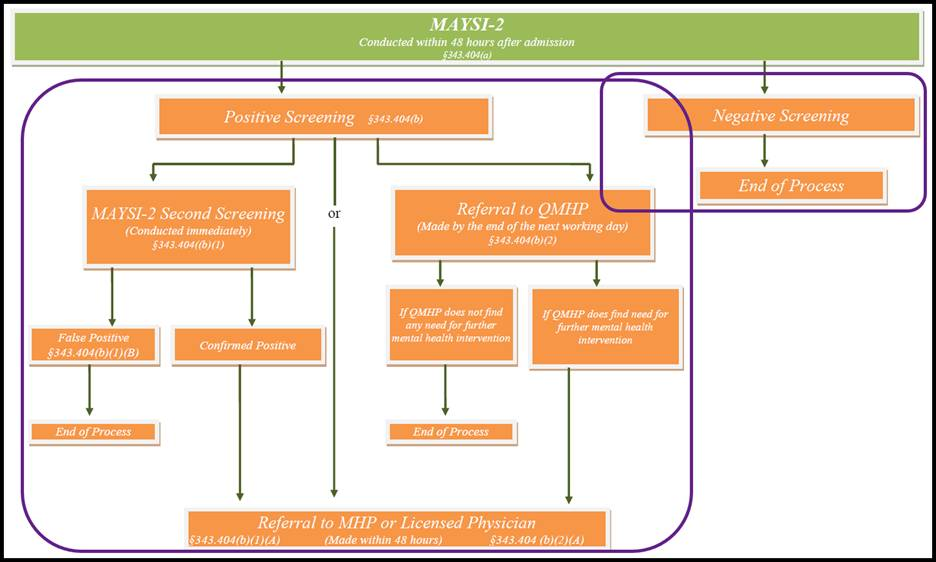
Option 2: Use Heading Tags
Use this method when the flow chart represents a hierarchy or logical organization.
Apply progressively deeper heading levels to indicate relationships.
Example:
- H1 – Flow Chart Title
- H2 – Positive Screening
- H3 – MAYSI-2 Second Screening
- H4 – False Positive
- H4 – Confirmed Positive
This approach provides excellent navigation for screen reader users.
Keep in mind that PDF heading levels only extend through H6. Additional levels should be tagged as Paragraphs or organized using another structural method.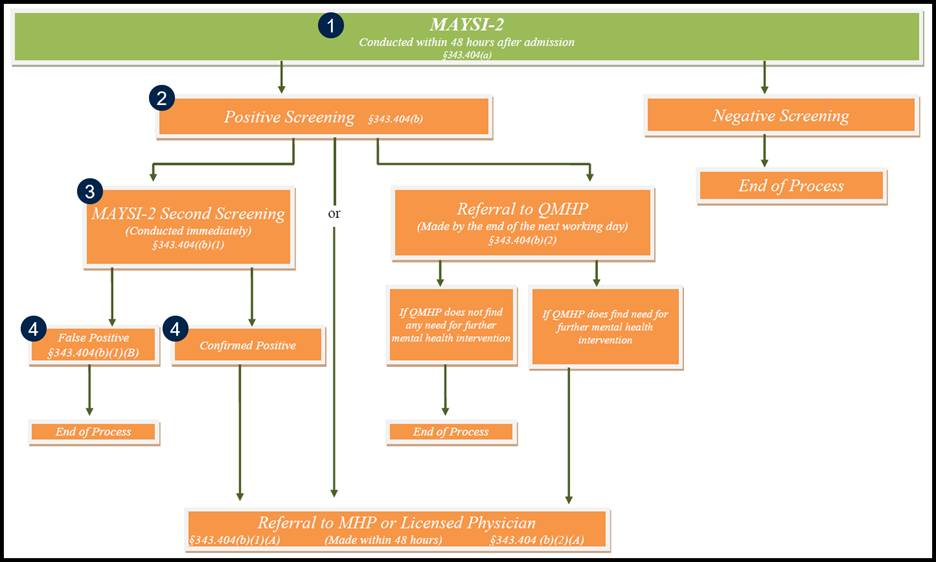
After tagging: Verify the Reading Order
- Confirm the reading order follows the intended progression.
- Ensure branching paths remain logical.
- Verify that nested Lists or Heading levels accurately represent the relationships between content.
Test the Structure
Review the completed tag tree and verify that:
- The content is easy to navigate.
- Relationships are preserved.
- No important text remains inside untagged graphics.
- Screen reader users can follow the progression without relying on visual arrows or connecting lines.
Screenshots
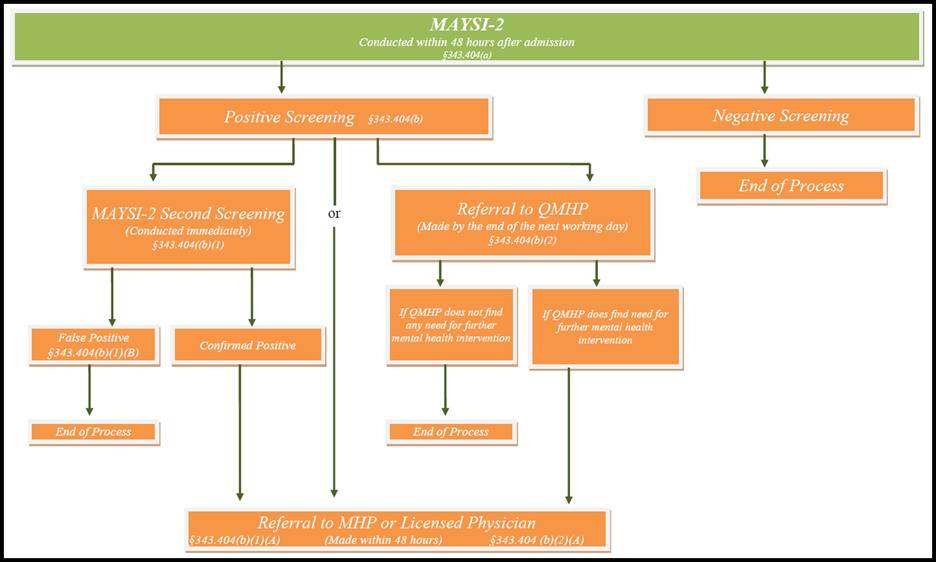
Flow charts and other progression visualizations are becoming very common in electronic documents. They typically use lines or arrows and follow a logical direction up, down, or through the content.
Common Problems
If heading levels in the flow chart exceed H6, consider using List tags instead, or use Paragraph tags after H6 where appropriate.
If important text remains inside an image, ensure all meaningful text is extracted and tagged individually after OCR, which may require the use of span tags.
Frequently Asked Questions
Can both Lists and Headings be used together?
Yes. In some complex documents, headings can introduce major sections while Lists represent detailed process steps within those sections.
What is the limitation of using Heading tags?
PDF heading structure only supports heading levels H1 through H6. Very deep flow charts may exceed this limitation, making List tags a better choice.
What should I do if the flow chart contains dozens of levels?
Consider using nested Lists instead of Heading tags, as Lists can represent deeper levels of hierarchy without being limited to six heading levels.
How should the reading order be organized?
The reading order should follow the same logical progression a sighted reader would follow through the flow chart, regardless of whether the layout flows vertically, horizontally, or branches into multiple paths.
Was this article helpful?
That’s Great!
Thank you for your feedback
Sorry! We couldn't be helpful
Thank you for your feedback
Feedback sent
We appreciate your effort and will try to fix the article